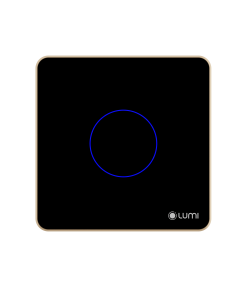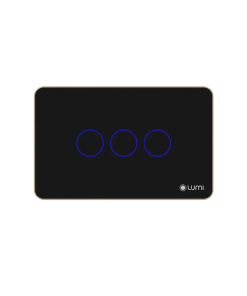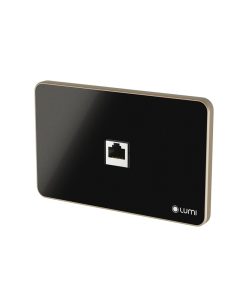



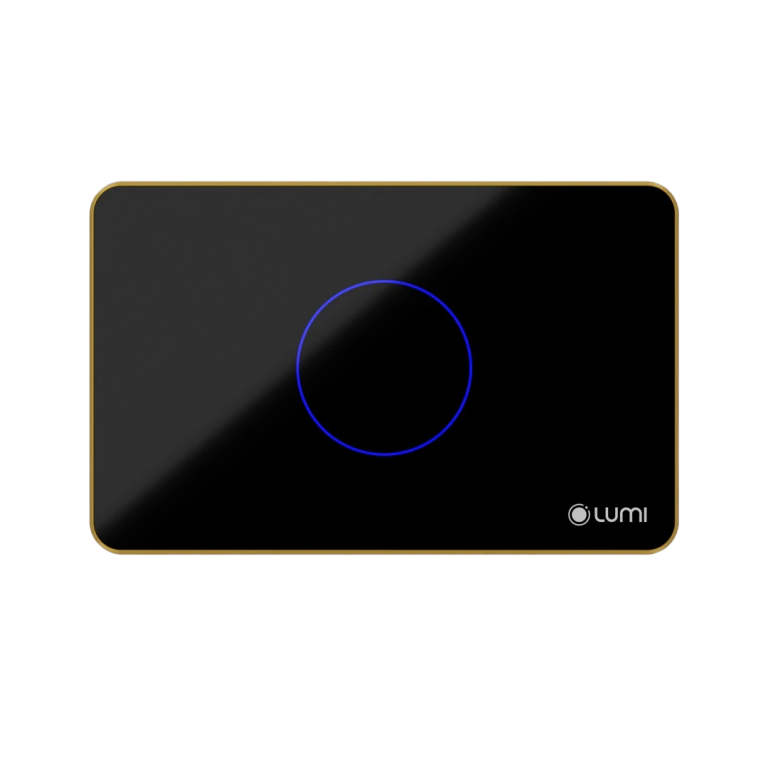
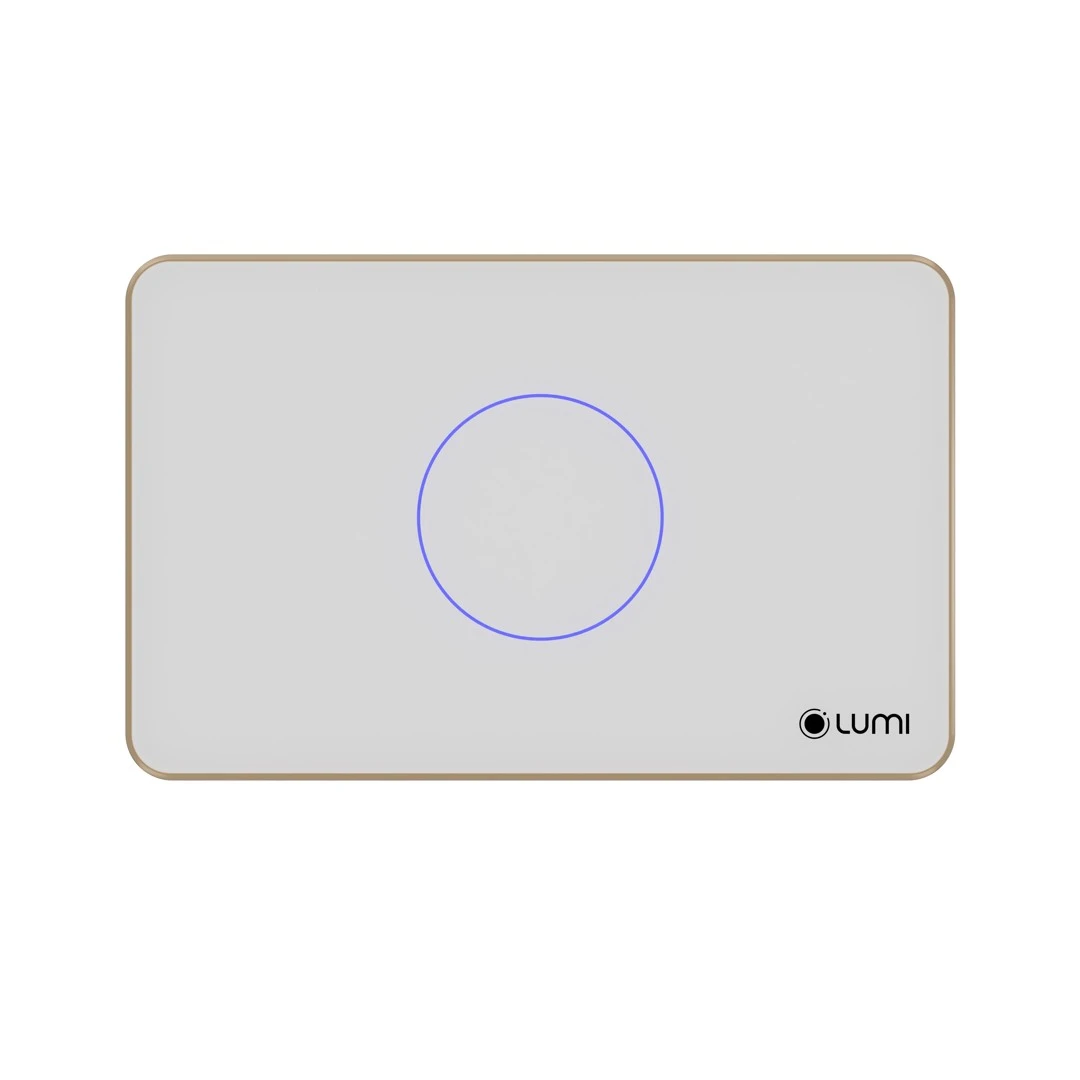
Luto Flat Glass Aluminum Frame Touch Switch

1.836.000

  • Scratch-resistant tempered glass 
  • Diamond-cut or rounded aluminum frame
  • Remote control via the internet/LAN network in the house (through the Lumi Life+ app)
  • Control by Rule, Scene, Schedule (Customized according to user needs).
  • Can control devices by voice through integration with Google Assistant, Alexa, Apple Siri
  • Safe, fireproof
  • Communication: Zigbee/BLE Mesh
  • Faceplate color: White/Black
  • Dimensions: Rectangle: 123 x 78 x 32.5 mm / Square: 95 x 95 x 32.5 mm
  • All are high-power switches
  • Warranty: 24 months
Số lượng

Luto Smart Touch Switch is the new version of the smart touch switch in the Lumi smart home ecosystem. Acting as a communication device, the Luto flat glass touch switch helps users control home appliances via smartphones and voice. Not only scored in smart features, the Luto Flat Glass Aluminum Frame Touch Switch is also attractive with a flat tempered glass in 2 classic black or white colors, and a sharp aluminum frame with diamond-cut lines, bringing sophistication, luxury and elegance when installed on the wall.

Features

  • Using the Luto smart switch to replace normal mechanical switches, users can experience a smarter life which allows most device control commands in the home to be done via smartphone or voice.  
  • The smart switch connects to your phone via the central controller and uses Zigbee/BLE Mesh wireless connection to process and send commands.
  • Turn on/off devices with just a light touch on the switch
  • Control the entire lighting system in the house through smartphone and voice
  • Schedule, set timers to control devices such as water heaters, curtains …
  • Set up rules, scenes, and schedules for smart gadgets in the house to function simultaneously, as well as input and output signals to create smart living scenarios like eating, going home, and so on..
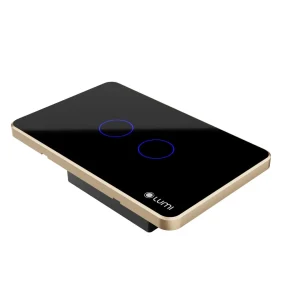
Luto Flat Glass Aluminum Frame Touch Switch replaces normal mechanical switch

In general, as long as the device is controlled by a mechanical switch, it can be totally transformed into a smart device that can be operated via a smartphone and voice using the smart touch switch.

Lumi has successfully connected to virtual assistants like Google Assistant and Alexa. This allows you to experience the power of the voice. For example, if you say the command “OK GOOGLE, I’M HOME; Hey SIRI, I’M HOME,” all devices in the house will be totally switched on or off, depending on the command.

Advantages of Luto Flat Glass Aluminum Frame Touch Switch

Modern, sophisticated, elegant design

  • The Luto smart switch uses a tempered glass faceplate that is scratch-resistant and impact-resistant. It is combined with a LED ring around it, with the Lumi logo in the right corner, creating a highlight for the brand and a charming look for the product.
  • The LED light is always bright whether the switch is on or off, so you can see the smart touch switch even in the dark.

High durability

  • The Luto switch has a one-piece design with 1.2-2mm thick plastic to increase hardness and durability.
  • The solid aluminum frame uses anodizing technology to prevent oxidation and reduce the impact of bending during installation.
  • The solid aluminum frame has undergone complex processing to achieve a glossy and elegant finish.
  • PET protects the switch from paint and dust before the project is completed.

Good moisture resistance

The Luto switch ensure good water/moisture resistance during operation thanks to the addition of 4 rubber gasket positions:

  • Rubber gasket on the connector
  • Rubber gasket on the config button
  • Powershell gasket
  • Rubber cover for screw holes

 Safe and high sensitivity

  • The switch uses capacitive touch technology and isolated power, ensuring safety when using.
  • The design of the blue LED light (when turning off) and red light (when turning on) around the button makes it easy to find in the dark and protect eyesight.
  • Users can control it using Smartphone/Tablet via the Internet or by voice. In particular, the switch integrates overvoltage and overload protection; ensuring absolute safety for users during use.

igh compatibility and customization

  • The Luto smart switch has high compatibility with various types of recessed boxes on the market.
  • All Luto switches are high-power switches and are easily compatible between Smart Lighting and Smart Home.
  • Luto is also easy to customize to suit each family by setting the LED schedule on the smartphone, changing the brightness of the LED.

How Luto Flat Glass Aluminum Frame Touch Switch works

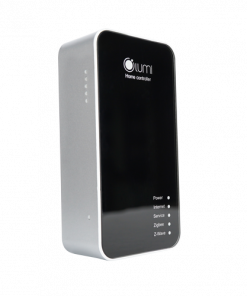
The Luto flat glass touch switch works by the control of the central controller (Home Controller).

The operation of the device will be demonstrated by the following example:

  • When the user issues the command “turn off the light” by touching the light button on the phone app, the command will be sent to the central controller via Zigbee/BLE Mesh.
  • From there, the HC controls the touch switch to turn on/off the light device as requested by the homeowner.

Video introducing the Lumi Smart Home solution

The following video describes the Lumi Smart Home solution:

The Luto Flat Glass Touch Switch with aluminum frame is more than simply a device for turning on and off devices; it’s a work of art that expresses sophistication and elegance. With the ability to integrate smart technology, you can connect the smart touch switch to a smart home system and control it remotely using your smartphone. Contact Lumi right now to design your home with elegance and modernity using models of switches such as flat glass switches, Luto smart switches to control single curtains, double curtains, and more.
1. Overall

Product Code: LM-Sxx/S-CB/CC or LM-Sxx/S-CB/CG

The LM-Sxx/S-CB/CC or LM-Sxx/S-CB/CG is a Lumi touch switch that supports turning on/off 1 to 4 output channels.

2. Technical Specifications

Operating Voltage 100 – 240V AC ~ 50/60Hz
Operating Temperature 0℃ – 50℃
Communication Zigbee
Zigbee Transmit Power 10 dbm
No-load Power Consumption < 0.5W
Load Capacity


No-Load: 3000W/channel
LED Load: 300W/channel
Total Load Capacity: < 4000W 
Dimensions (D x R x C) Rectangle: 123 x 78 x 32.5 mm
Square: 95 x 95 x 32.5 mm
Overload Protection Yes
Overvoltage Protection Overvoltage protection at 275V, automatic cut-off
Diffuser Even light diffusion
Version All buttons are CSC for versions 1, 2, 3, and 4 buttons
Compatibility Compatible with Simon single and double recessed boxes
Moisture Resistance High

3. Installation

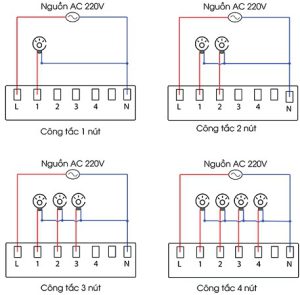
Step 1: Wire the device.

Wiring diagram:

  • L: Connect the live wire of the power supply.
  • N: Connect the neutral wire of the power supply.
  • 1,2,3,4: Connect the live wire of the loads.
Wiring diagram
Wiring diagram

Step 2: Install the switch in the recessed box.

  • Remove the switch glass: Use a screwdriver to insert into the small groove on the switch bezel and gently push to remove the glass.
  • Install the switch in the recessed box and reinstall the glass.

Note:

  • Compress the electrical wires in the recessed box to fit the switch and avoid screwing into the wires.
  • Do not screw too tightly, as this will bend the switch, warp the switch’s touch circuit, and prevent the switch from being turned on or off manually.

4. User guide

4.1. Turning on/off

To turn the switch on or off, simply tap the touch-sensitive surface once.

  • When the switch is on, the LED ring lights up red.
  • When the switch is off, the LED ring lights up blue.

4.2. Changing between toggle and momentary mode

Toggle mode:

  • In toggle mode, tapping the touch ring once will turn the switch on or off. The switch will remain in the new state until it is tapped again.

Momentary mode:

  •  In momentary mode, tapping the touch ring will turn the switch on for a short period of time (500ms) before it automatically turns off.

To change between toggle and momentary mode:

  • Press and hold the config button for 3 seconds until the LED on button 1 flashes red twice.
  • Observe the status LED on the buttons: The LED will be off in momentary mode. The LED will be red in toggle mode.
  • Tap the button you want to change the mode.
  • Press the config button once or wait 10 seconds to exit the settings and save the mode.

4.3. Touch lock

Since 6/2019, the smart switch has a touch lock function, users will not be able to turn on/off manually and can only be controlled by the Lumi Life app. There are two types of touch locks: locking individual buttons or locking all buttons.

Press the config button 10 times in a row to lock and unlock the touch sensor.

  • To lock: All LEDs will flash red 5 times.
  • To unlock: All LEDs will flash blue 5 times.

To lock an individual button, press and hold the config button for 9 seconds until the LED on button 1 flashes red 3 times. Then, release the button and observe the LED status on each button.

  • To lock: LED turns off.
  • To unlock: LED turns pink.

Tap the button to change the lock/unlock status. After setting, quickly press the config button once or wait 10 seconds to automatically exit the setting mode.

4.4. Changing the brightness of the indicator LED

  • The indicator light on the switch has two levels, bright or dim. For switches manufactured before 6/2019, users push and hold the config button for 8 seconds, seeing the indicator light change brightness before releasing.
  • For switches manufactured after 6/2019, users must press and hold the config button for 5 seconds while the indicator light changes brightness before releasing.

4.5. Device Grouping

From February 24, 2020, the switch has added a device grouping feature without the need for software configuration.

Creating a Group

  • Select a button to role as the master button. Process the following steps on this button first.
  • Press and hold the touch button for 10 seconds until the LED blinks red twice, then release.
  • Press the button again once to confirm. The LED will light up red..
  • Repeat steps 2 and 3 for each button you want to add to the group.

Deleting a Group

  • Press and hold the button you want to delete for 10 seconds until it blinks red twice.
  • Press the button again once, then exit the configuration mode.
  • To delete the entire group, delete the master button.

Exiting Configuration Mode

  • After configuring, press the config button twice to exit.
  • Alternatively, the switch will automatically exit the configuration mode after 1 minute.

Notes:

  • To use this function, the switches must be connected to the network and be on the same network (belonging to the same HC or LC).
  • A group can have a maximum of 5 switch buttons, and 2 buttons from the same switch cannot be grouped together.

5. Setup devices

5.1. Joining the network

  • To set up the switch control via the app on the phone, users need a central controller (HC) and have created a home on the system.
  • Users log in to the Lumi Life+ app > select Settings > select Device Settings > select HC > Zigbee > Join Network.
  • The indicator light on the switch flashes red four times in a row with a cycle of 1s/1 time when joining the network successfully.
  • If the switch does not join the network, the switch may have been configured, and the user can reset the device to return to the network joining mode.

5.2. Controlling devices on the Lumi Life+ app

After connecting the switch to the network, the user names the device and places it in a room to operate it using the Lumi Life+ app on the phone.

Similar to manual on/off, users tap the device icon to control it on/off.

  • Bright icon: The switch is on
  • Dark icon: The switch is off

In addition, users can configure the device with complex functions such as rule, scene, and schedule setup.

6. Device reset

6.1. Reset Zigbee 3.0 switch

From February 24, 2020, to reset and remove the device from the network, users press the config button five times in a row.

If the device is in the network, after the reset, the indicator light of the device will flash red twice in a row to indicate that the network has been deleted successfully. Then, it will flash red twice in a row again to indicate that it has been restarted and flash red three times in a row to return to the automatic search mode.

6.2. Reset Zigbee 1.2 switch

Before February 24, 2020, to reset and remove the device from the network, users press and hold the touch button for 5 seconds, when the indicator light flashes red, then release the hand.

Reset successfully, the indicator light flashes red three times in a row and the device returns to the automatic search process.

Note: Hold down any button and observe that all 4 indicator lights turn pink before releasing the button.

7. Packaged product set

The curtain smart switch set is packaged in a box including: 1 Luto smart switch set, 2 screws, 1 user manual.

Tìm điểm bán

CÔNG TY TNHH ĐỨC HÒA IOT

32B Nơ Trang Long- Thị Trấn Kiến Đức- Huyện Đăk r Lấp- Tỉnh Đăk Nông

CÔNG TY TNHH ĐIỆN THÔNG MINH TÂM PHÁT

49/4 Đường ĐT743, tổ 4 khu Phố Trung Thắng, Phường Bình Thắng, Thành phố Dĩ An, Tỉnh Bình Dương

CÔNG TY TNHH THƯƠNG MẠI VÀ DỊCH VỤ AN TÂM LOCK

Shophouse 4B Chung cư An Phú Thịnh – Quy Nhơn – Bình Định

SMARTHOME THĂNG LONG

32 Lê Duẩn, Hà Tĩnh

Công Ty TNHH Kinh Doanh Và Lắp Đặt Công Nghệ TP

Số 101, đường Hải Thượng Lãn Ông, Tổ 6, Phường Thành Sen, Tỉnh Hà Tĩnh

SMARTHOME HÒA BÌNH

Số 299 Trần Hưng Đạo, phường Phương Lâm, thành phố Hòa Bình, tỉnh Hòa Bình

CÔNG TY TNHH CÔNG NGHỆ ANH PHÚ VINH

Đường Chợ Cơm, Phạm Kham, Lạc Hồng, Văn Âm, Hưng Yên

CÔNG TY TNHH NHÀ THÔNG MINH HOMEQ

128 Song Hành, KDC Lake View, Phường An Phú, Quận 2, TP Thủ Đức, TP.HCM

CÔNG TY TNHH MINH TRÚC HOME

Số 99, Đường số 5, P. An Phú, TP. Thủ Đức, TP. HCM

SHOWROOM 6SHOME

86 Đường số 9, KĐT Vạn Phúc, Phường Hiệp Bình Phước, TP. Thủ Đức, TP. Hồ Chí Minh

CÔNG TY TNHH KỸ THUẬT CÔNG NGHỆ MINH ĐẠT

số 24, Đường số 7, KDC Cityland Park Hills, phường 10, Quận Gò Vấp

CÔNG TY TNHH CÔNG NGHỆ AVASMART

253 Tân Sơn Nhì, P. Tân Sơn Nhì, Quận Tân Phú, TP. HCM

CÔNG TY TNHH CUỘC SỐNG SỐ

Số 333 Hồ Sen - Quận Lê Chân - TP Hải Phòng

SHOWROOM NHÀ THÔNG MINH MINH HIẾU

465, khu biệt thự WaterFront, Lê Chân, Hải Phòng

CÔNG TY TNHH SMARTHOME THÁI NGUYÊN - CHI NHÁNH BẮC KẠN

92 Cách Mạng Tháng 8, Trưng Vương, Thành phố Thái Nguyên, Thái Nguyên, Việt Nam

CÔNG TY TNHH CÔNG NGHỆ 4TU

14/1, Trần Hưng Đạo, Khóm Mỹ Thọ, Phường Long Xuyên, An Giang

NHÀ THÔNG MINH LUMI CAO BẰNG

Số 17, tổ 5, phường Sông Hiến, TP. Cao Bằng

CÔNG TY TNHH DỊCH VỤ THÔNG TIN VÀ GIẢI PHÁP CÔNG NGHỆ TDL

L2-55, Đường Số 7, Khu TTVH Tây Đô, KV3, P. Hưng Thạnh, Q, Cái Răng, Cần Thơ

CT TNHH CÔNG NGHỆ PHÚ VINH IoT

71, Nguyễn Trãi,P7, TP Mỹ Tho,Tiền Giang

CÔNG TY GIẢI PHÁP CÔNG NGHỆ HKTECH

Lô 6 Căn 1, Đường Phan Thị Ràng, Phương Rạch Giá, Tỉnh An Giang

CÔNG TY TNHH TƯ VẤN THƯƠNG MẠI NHÀ THÔNG MINH

A63, P. Phú Thủy, TP. Phan Thiết, tỉnh Bình Thuận

SHOWROOM IOT MINH HOÀNG

Số 63 Hùng Vương 3, P. Hoàng Văn Thụ, Thành Phố Bắc Giang

CÔNG TY TNHH ĐIỆN NƯỚC ĐỒNG PHÁT

42/19 Ngô Văn Lớn, Phường 4, Tân An, Long An

CÔNG TY TNHH GIẢI PHÁP CÔNG NGHỆ HUY PHÁT

105 đường Tôn Đức Thắng, phường 5, TP. Cà Mau, Cà Mau

Công ty TNHH CVT HOLDING

110 Huyền Trân Công Chúa, Phường Tam Thắng, Thành Phố Hồ Chí Minh

CÔNG TY TNHH XÂY DỰNG VÀ THƯƠNG MẠI CAO PHONG

Công ty TNHH Xây dựng Số 321 Mê Linh, P. Liên Bảo, TP. Vĩnh Yên, Vĩnh Phúc

NHÀ MÁY LUMI SMART FACTORY

Lô 12, KCN Thăng Long 3, Thiện Kế, Bình Xuyên, Vĩnh Phúc

SHOWROOM CÔNG TY TNHH NHÀ AN NHIÊN

207 Nguyễn Văn Linh - Hòa Thành - Tây Ninh

CÔNG TY TNHH CÔNG NGHỆ PHÚ VINH IOT

71A Nguyễn Trãi, Phường 7, TP. Mỹ Tho, Tiền Giang

CÔNG TY TNHH TM VÀ DỊCH VỤ NHÀ THÔNG MINH THÁI BÌNH

Tổ 6, đường Võ Nguyên Giáp, P.Hoàng Diệu, Tp.Thái Bình, Thái Bình

CÔNG TY TNHH ĐẦU TƯ SAO ĐĂNG - STAHOMES

Số 101 Doãn Khuê, P. Phú Khánh, TP Thái Bình

CÔNG TY TNHH SMART HOME THÁI NGUYÊN

136B Phan Đình Phùng, phường Phan Đình Phùng, Thành phố Thái Nguyên

CÔNG TY TNHH XD VIỆT HÙNG 68

165 Dương Đình Nghệ, Tp Thanh Hóa

CÔNG TY TNHH CÔNG NGHỆ KỶ NGUYÊN MỚI

82 Phan Đình Phùng - Khu Bình Minh - TP.Thanh Hóa

Showroom Lumi Đức Tiệp CS1

Số 300 Quang Trung, TP. Tuyên Quang, Tuyên Quang

Showroom Lumi Đức Tiệp CS2

242 Phạm Văn Đồng, P. Hưng Thành, TP. Tuyên Quang, Tuyên Quang

CÔNG TY TNHH THÁI THIÊN DI

30 Dã Tượng, Phường 6, TP. Sóc Trăng, Tỉnh Sóc Trăng

CÔNG TY TNHH PHÚ HƯNG IOT

287 Lý Thường Kiệt, TP Đồng Hới, Tỉnh Quảng Bình

CÔNG TY CỔ PHẦN CÔNG NGHỆ THÔNG MINH PHC

259 Lê Lợi, Phường Chánh Lộ, Thành phố Quảng Ngãi, Tỉnh Quảng Ngãi

CÔNG TY TNHH MT SMARTHOME

180 Trưng Nữ Vương, P. Tân Thạnh, TP. Tam Kỳ, Tỉnh Quảng Nam

CÔNG TY TNHH NHÀ THÔNG MINH VIỆT DUY

Ngã Tư 617, Xã Tam Hiệp, Huyện Núi Thành, Tỉnh Quảng Nam

CÔNG TY CỔ PHẦN AMY HẠ LONG

219 ngõ 3 Cao Thắng, TP Hạ Long

NPP CUỘC SỐNG SỐ - CHI NHÁNH QUẢNG NINH

647 Nguyễn Văn Cừ, phường Hồng Hà, thành phố Hạ Long, tỉnh Quảng Ninh

CÔNG TY TNHH TM & XD NAM ANH PHÚ THỌ

Số 16 Tân Xuân, Phường Việt Trì, Tỉnh Phú Thọ

CÔNG TY TNHH LUMI VIETSUN

27 Quốc lộ 27 cũ, Phan Rang Tháp Chàm, Ninh Thuận

CÔNG TY CỔ PHẦN CÔNG NGHỆ VINH SMART

61 Đinh Công Tráng, Lê Mao, TP. Vinh, Nghệ An

CÔNG TY TNHH ĐẦU TƯ SAO ĐĂNG - STAHOMES

Số 101 Doãn Khuê, P. Phú Khánh, TP Thái Bình

SHOWROOM NHÀ THÔNG MINH THIÊN ÂN

Số 478, đường Trần Hưng Đạo, thành phố Ninh Bình, tỉnh Ninh Bình

Showroom nhà thông minh Lumi Thiên Ân, Ninh Bình

Số 332 Phố Thống Nhất, Thị trấn Me, Gia viễn, Ninh Bình

CÔNG TY TNHH HẬU KIM CƯỜNG

Số 05 – 06, Đường Đối Trần Phú, Xã Đức Trọng, Tỉnh Lâm Đồng Câp

CÔNG TY TNHH MTV VIỆT NGỌC LAI CHÂU

16/8 Đường 19/8 tổ 1 phường Đoàn Kết, TP. Lai Châu

CÔNG TY TNHH MTV NAM PHÁT

Số 266 Đường Nguyễn Huệ, phường Phố Mới, Tp. Lào Cai

CÔNG TY ĐIỆN THÔNG MINH LẠNG SƠN

169 Bà Triệu, Hoàng Văn Thụ, Lạng Sơn

NHÀ PHÂN PHỐI ĐBSCL - MEKONG2

207 Lâm Quang Ky, Phường Vĩnh Bảo, TP. Rạch Giá, Kiên Giang

CÔNG TY TNHH TM DV ĐỒNG TIẾN

STH 41.04 đường số 8 Hà Quang 2 - Phước Hải - TP. Nha Trang - Khánh Hòa

CÔNG TY TNHH CÔNG NGHỆ APPTECH

Lô 5 đường A2, Khu đô thị VCN Phước Long 2, Phương Nam Nha Trang, Khánh Hòa

CÔNG TY TNHH CÔNG NGHỆ ÂU LẠC

27A Hoàng Hoa Thám, phường Tây Sơn, thành phố Pleiku, Gia Lai

SMARTHOME MINH PHONG

441A Nguyễn Văn Cừ, Tân Lập, Thành phố Buôn Ma Thuột, Đắk Lắk, Việt Nam

CÔNG TY TNHH 247 ĐỒNG THÁP

Số 122, đường 30/4, Phường 1, Thành phố Cao Lãnh, Tỉnh Đồng Tháp

CÔNG TY TNHH TMDV TỔNG HỢP AN HUY

Đường Song Hành Quốc Lộ 20, tổ 4, Ấp Võ Dõng 1, Xã Gia Kiệm, Tỉnh Đồng Nai

CÔNG TY TNHH MỘT THÀNH VIÊN 836

Số 10 Hùng Vương, Tân Bình, TP Đồng Xoài, Bình Phước

CÔNG TY TNHH DV CÔNG NGHỆ MLV SMART

70 Võ Văn Tần , Tân Bình , Đồng Xoài, Bình Phước

CÔNG TY CỔ PHẦN TƯ VẤN XÂY DỰNG VÀ THIẾT BỊ NHÀ KINH BẮC

Số 60A - 135 Lê Quang Đạo - Đông ngàn - Từ Sơn - Bắc Ninh

CÔNG TY TNHH GIẢI PHÁP THIẾT BỊ AN NINH THỊNH PHÁT

K69/10 Phạm Thị Liên, Phường Kim Long, TP Huế

CÔNG TY TNHH MTV THƯƠNG MẠI ĐIỆN QUANG

237-239 Phan Đăng Lưu, P. Phú Hòa, TP Huế, Thừa Thiên Huế

CÔNG TY TNHH MTV THƯƠNG MẠI ĐIỆN QUANG

85 Trường Chinh, P. Xuân Phú, TP. Huế

CÔNG TY CÔNG NGHỆ VÀ TRUYỀN THÔNG T&C

160 Trần Phú, Minh Khai, Hà Giang

CÔNG TY TNHH CÔNG NGHỆ SONG PHÚC

Số 54, ngõ 5, đường Nguyễn Thái Học, P. Liêm Chính, TP. Phủ Lý, tỉnh Hà Nam

SHOWROOM GIA HÂN SMART

6 Lê Duy Đình, Chính Gián, Thanh Khê, Đà Nẵng

CÔNG TY CỔ PHẦN CÔNG NGHỆ TENKI

26 Bàu Tràm 1 - Khuê Trung - Cẩm Lệ - Đà Nẵng

CHI NHÁNH LUMI TẠI ĐÀ NẴNG

Số 514 Đường 2/9, Q. Hải Châu, Đà Nẵng

CÔNG TY TNHH CÔNG NGHỆ VÀ THƯƠNG MẠI MINH NGUYÊN

456 Dũng Sĩ Thanh Khê, Phường Thanh Khê, Đà Nẵng

CÔNG TY TNHH HOÀNG MINH GROUP

01 Lê Tấn Toán, P. An Hải Bắc, Q. Sơn Trà, TP. Đà Nẵng

CÔNG TY TNHH GIẢI PHÁ[ NHÀ THÔNG MINH HÀ NỘI

No.02, LK 31, KDV 16 17 18, Khu đô thị Dương Nội, Hà Đông, Hà Nội

TRỤ SỞ CHÍNH LUMI VIỆT NAM

38 Đỗ Đức Dục, Nam Từ Liêm

CTY TNHH SMARTGROUP

D03 - L14 Khu đô thị mới Dương Nội, Hà Đông

CÔNG TY TNHH CÔNG NGHỆ XANH THÔNG MINH VIỆT NAM

Số 30, ngõ 210 Hoàng Quốc Việt, Bắc Từ Liêm, Hà Nội

CÔNG TY TNHH OMAQUA VIỆT NAM

Xóm 4, Xã Ninh Hiệp, Huyện Gia Lâm, Thành phố Hà Nội, Việt Nam

Hotline Hotline Zalo Zalo Messenger Messenger Tư vấn nhà thông minh Tư vấn nhà thông minh